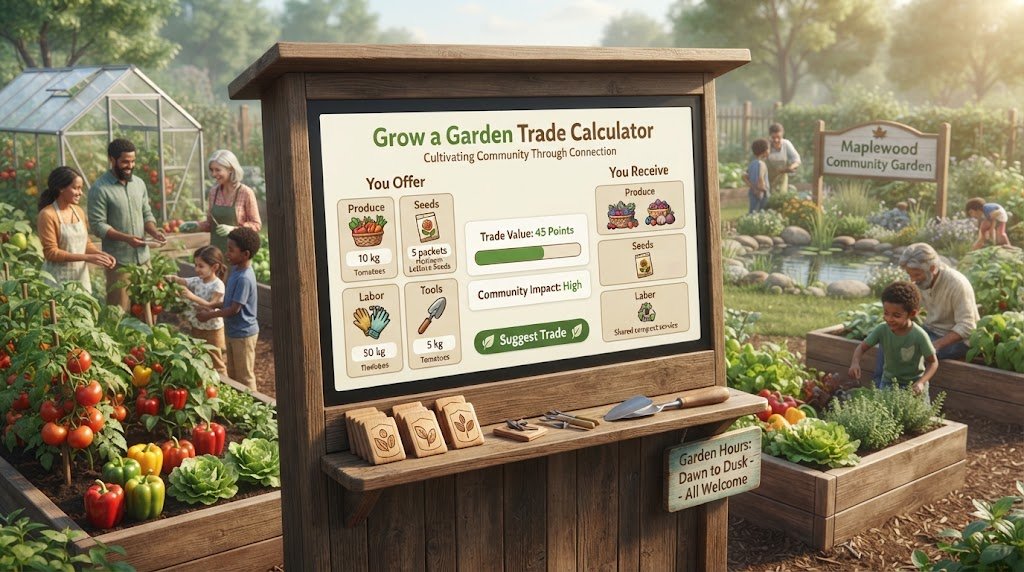
Grow a Garden Trade Calculator 2026: Check Any Trade in Seconds
Use our Grow a Garden trade calculator to check if your pet or crop trade is fair. Full W/F/L guide, how the calculator works, and best tips for smart trading in 2026.
Grow a Garden Trade Calculator 2026: How to Check Any Trade Instantly
Meta Title: Grow a Garden Trade Calculator 2026 – Check Any Trade in Seconds
Meta Description: Use our Grow a Garden trade calculator for instant W/F/L results in 2026. Learn how the calculator works, what it checks, and how to trade smarter today.
On This Page
- What Is the Grow a Garden Trade Calculator?
- Why You Need a Trade Calculator for Grow a Garden
- How the Grow a Garden Trade Calculator Works
- Step-by-Step: Using the Calculator
- Understanding W/F/L Results
- What Items Can the Calculator Evaluate?
- Mutation Values in the Trade Calculator
- How Accurate Is the Trade Calculator?
- Trade Calculator vs. Manual Value Checking
- When to Override the Calculator's Result
- Common Trade Calculator Mistakes
- Tips for Getting the Most Out of the Calculator
- FAQ: Grow a Garden Trade Calculator
What Is the Grow a Garden Trade Calculator?
The Grow a Garden trade calculator is a tool that evaluates proposed item exchanges in the game and tells you whether the deal is a Win, Fair, or Loss for you. You input what each side of the trade is offering, and the grow a garden trade calculator returns an instant W/F/L result based on current community-maintained values.
Unlike manually looking up each item's value and doing the math yourself, the grow a garden trade calculator handles the calculation automatically. This makes it accessible to new players who do not yet know value frameworks, and faster for experienced players who trade frequently.
The grow a garden trade calculator at growsagardencalculators.com is updated regularly to reflect current community values — a critical feature given how quickly the game's economy shifts.
Why You Need a Trade Calculator for Grow a Garden
Grow a Garden has over 400 pets, hundreds of crop variants, multiple mutation tiers, and a constantly shifting market driven by updates and events. Memorizing the exact value of every tradeable item is practically impossible — even for experienced traders who play daily.
The grow a garden trade calculator solves this by maintaining a live-updated database of community values and doing the comparison math in seconds. Here is specifically why it matters:
Mutations change everything. Two pets of the same species can differ enormously in value based on their mutation. The grow a garden trade calculator factors in mutation quality automatically, something easy to misjudge without a structured reference.
Values shift constantly. After a major patch or event, multiple item values can move simultaneously. The grow a garden trade calculator draws from a maintained database — so your trade check reflects current market conditions, not values from three weeks ago.
Multi-item trades are hard to eyeball. When a trade involves four pets on one side and two pets plus crops on the other, the mental math becomes error-prone. The grow a garden trade calculator sums complex trades instantly and accurately.
Confidence under pressure. Trade negotiations often move quickly, especially when the other player pushes for a fast decision. Having a grow a garden trade calculator in hand gives you instant, objective data to work from rather than guessing under social pressure.
How the Grow a Garden Trade Calculator Works
The grow a garden trade calculator operates on a value database maintained by the community:
-
Database of item values. Each tradeable item in Grow a Garden — pets at each rarity tier, crops, eggs — is assigned a community-consensus numerical value. These values are updated as the market shifts.
-
Mutation multipliers. The database also stores the approximate multiplier for each mutation tier. When you specify a pet's mutation in the grow a garden trade calculator, it applies the multiplier to get the individual pet's adjusted value.
-
Summing both sides. The calculator adds up the adjusted values of all items on your side and all items on the other player's side.
-
W/F/L ratio calculation. The calculator divides your received total by your given total and categorizes the result: Win (115%+), Fair (85–115%), or Loss (below 85%).
The entire process takes under 30 seconds per trade evaluation with a properly designed grow a garden trade calculator.
Step-by-Step: Using the Calculator
Step 1 — Open the grow a garden trade calculator.
Navigate to the calculator tool at growsagardencalculators.com. The interface shows two columns: Your Offer and Their Offer.
Step 2 — Add your items.
For each item you are giving, search by name and select it from the database. Specify the mutation (if any). The calculator displays the adjusted value for that item.
Step 3 — Add the other player's items.
Repeat the process for the other side — add each item they are offering, with their mutations specified.
Step 4 — Read the result.
The grow a garden trade calculator automatically sums both sides and displays the W/F/L outcome. It also shows the exact values on both sides so you can see where the difference comes from.
Step 5 — Decide.
If the result is Win or Fair, the trade is reasonable (or better) for you. If the result is Loss, decide whether you want to decline, counter-offer, or accept the loss for a specific item you need.
If you're comparing related numbers, our Grow a Garden Pet Value List covers a similar calculation in more detail. For background reading, see Roblox.
Understanding W/F/L Results
The grow a garden trade calculator classifies every trade into one of three outcomes:
| Result | Value Ratio | What It Means |
|---|---|---|
| Win (W) | You receive 115%+ of what you give | The trade benefits you |
| Fair (F) | 85%–115% range | Both sides receive roughly equal value |
| Loss (L) | You receive less than 85% of what you give | You lose value in the trade |
Win: A Win does not always mean the other player is making a mistake. They might be trading for convenience, completing a collection, or getting a specific item they need that has personal utility beyond its market value. A Win result means the market values favor you.
Fair: Most trades between experienced players land in the Fair zone. Both sides know what their items are worth and negotiate to the middle. A Fair result from the grow a garden trade calculator is a successful trade.
Loss: A Loss result is not always a reason to decline. If you are trading a high-value item for a specific event pet you missed and the only path to getting it is accepting a slight loss, that is a personal choice. The grow a garden trade calculator gives you the data; you make the decision.
What Items Can the Calculator Evaluate?
The grow a garden trade calculator covers all primary tradeable item categories:
Pets
Pets at every rarity tier (Common through Event). The calculator includes the base value for each pet species and applies mutation multipliers when specified.
Crops
Harvested crops, including high-quality and mutated variants. Prismatic crops, for example, are separately catalogued from base crops in the grow a garden trade calculator because of how dramatically mutation affects their value.
Eggs
Regular and event eggs are included. Divine Eggs occupy a separate high-value category.
Sheckles
Currency-to-item trades can be evaluated by the grow a garden trade calculator by inputting the Sheckle amount as a fixed value.
Event Collectibles
Limited seasonal items are included in the grow a garden trade calculator database with values reflecting their post-event scarcity premium.
Mutation Values in the Trade Calculator
Mutation is the most significant variable the grow a garden trade calculator accounts for beyond base rarity. Here is how it factors in:
When you select a pet and specify its mutation in the grow a garden trade calculator, the tool applies an approximate multiplier to that pet's base rarity value. The multipliers reflect community consensus on how much each mutation tier adds:
| Mutation | Approximate Multiplier Applied |
|---|---|
| None | 1× (base value) |
| Shiny | 8–15× |
| Rainbow | 15–40× |
| Golden | 20–50× |
| Prismatic | 50–100× |
| Voidtouched | Up to 135× |
Multipliers in the grow a garden trade calculator are approximations. Individual item values can vary.
This mutation weighting is why even a Common pet can appear valuable in the grow a garden trade calculator if it carries a top-tier mutation. The calculator reflects the market reality that mutation often matters more than base rarity.
How Accurate Is the Trade Calculator?
The grow a garden trade calculator is as accurate as the value database it draws from. Several factors affect accuracy:
Database freshness: The most important accuracy factor. A grow a garden trade calculator using values from before a major patch may give incorrect W/F/L results if values moved significantly in that update. Our calculator at growsagardencalculators.com is updated to stay current.
Community consensus vs. specific trade prices: Value databases represent average community consensus. Individual trades sometimes close above or below the listed value depending on the specific buyers and sellers involved. The grow a garden trade calculator gives you the market average, not the exact clearing price.
Mutation ranges: Mutation multipliers have ranges rather than fixed numbers (e.g., Prismatic is 50–100×, not exactly 75×). The grow a garden trade calculator uses midpoint estimates. Actual value for a specific pet with a specific mutation may sit anywhere in the range.
Despite these caveats, a current, well-maintained grow a garden trade calculator is dramatically more accurate than intuitive guessing, especially for newer players who have not yet built extensive market knowledge.
Trade Calculator vs. Manual Value Checking
You can also manually check values by looking up each item on a community value list and doing the ratio math yourself. How does this compare to the grow a garden trade calculator?
| Aspect | Trade Calculator | Manual Checking |
|---|---|---|
| Speed | 30 seconds | 3–10 minutes |
| Accuracy | Same (uses same database) | Same if using current list |
| Mutation handling | Automatic | Must apply multiplier manually |
| Multi-item trades | Instant sum | Addition errors possible |
| Update awareness | Depends on site | Depends on list freshness |
The grow a garden trade calculator is simply faster, especially for complex multi-item trades. Manual checking is a good backup method to cross-reference if a calculator result seems surprising.
Many readers using this tool also check out the Grow a Garden Trading Guide for a related use case. You can also reference Game8 for official guidance on this topic.
When to Override the Calculator's Result
The grow a garden trade calculator is a data tool, not a decision authority. There are situations where a rational trader accepts a result that contradicts the calculation:
Accepting a Fair-to-Loss for a needed item. If the other player has the specific event pet you are targeting and the market is thin (few sellers), accepting a slight loss to obtain it may be the right decision.
Trading for personal utility. Sometimes an item's value to you personally exceeds its market value. Trading slightly below market for something you will use heavily is not a mistake.
Countering with the calculator data. If the grow a garden trade calculator shows you are taking a Loss, use that data to counter-offer. Show the other player the calculation and negotiate toward Fair.
Market timing. If you believe an item's value is about to rise significantly (due to an upcoming event or patch), accepting a small current-value loss for that item can be the right long-term play.
Common Trade Calculator Mistakes
Not specifying mutations. Leaving the mutation field blank and accepting the base value for a pet that actually has a significant mutation will give an incorrect result. Always fully specify item details in the grow a garden trade calculator.
Using an outdated calculator. If a site's grow a garden trade calculator has not updated its database in weeks, the values may be meaningfully wrong post-patch. Check when the calculator was last updated before relying on a result.
Treating the result as absolute. The grow a garden trade calculator gives you a value ratio, not a definitive verdict on whether to trade. The final decision should consider your goals, the specific items involved, and market context.
Double-entering items. In complex multi-item trades, it is easy to accidentally add the same item twice. Always review the full item list in the calculator before reading the final result.
Tips for Getting the Most Out of the Calculator
Run every significant trade through the grow a garden trade calculator, not just uncertain ones. Even trades that feel obviously fair can have surprising results once mutations and stats are factored in correctly.
Use it to prepare counter-offers. If you receive an offer that the calculator shows as a Loss, you can use the calculator result to identify exactly how much value you need to close the gap, then propose a specific addition to make the trade Fair.
Check before and after negotiation. Run the initial offer through the grow a garden trade calculator, note the gap, negotiate, then re-run the updated offer. This iterative approach ensures you track exactly how negotiations are moving.
Keep the calculator accessible during active trading sessions. Having growsagardencalculators.com open in a tab while you trade in-game means you can check any deal in under a minute without interrupting the session flow.
FAQ: Grow a Garden Trade Calculator
Is the grow a garden trade calculator free?
Yes — our calculator at growsagardencalculators.com is free to use. For a related calculation, see our DevEx Calculator.
How often is the calculator updated?
Values are updated regularly to reflect major patches, events, and significant market shifts. Check the site's last-updated timestamp for the exact most recent refresh.
Does the calculator include event pets?
Yes. Event pets are included with values that reflect their post-event scarcity premium.
Can I use the calculator for crop trades?
Yes. Crops, including mutated and high-quality variants, are part of the grow a garden trade calculator database.
What if two calculators give different results?
Different sites use slightly different value databases. If results diverge significantly, it indicates the market value for an item is debated or in flux. In these cases, conservative (more cautious) interpretation is the safer approach.
Does the calculator account for pet age?
Some grow a garden trade calculator implementations allow you to input age and weight for additional precision. Our calculator at growsagardencalculators.com is continuously expanding its stat-level detail. See Roblox Creator Docs for more authoritative detail.
The grow a garden trade calculator is the fastest path from uncertainty to confident decision-making in every trade. It removes guesswork, handles the complex math of multi-item deals, and accounts for mutations that can radically change a pet's market value. Use it at growsagardencalculators.com before every significant trade — it takes 30 seconds and pays for itself in value protected from every exchange.
Abdullah
Grow a Garden player & calculator builder