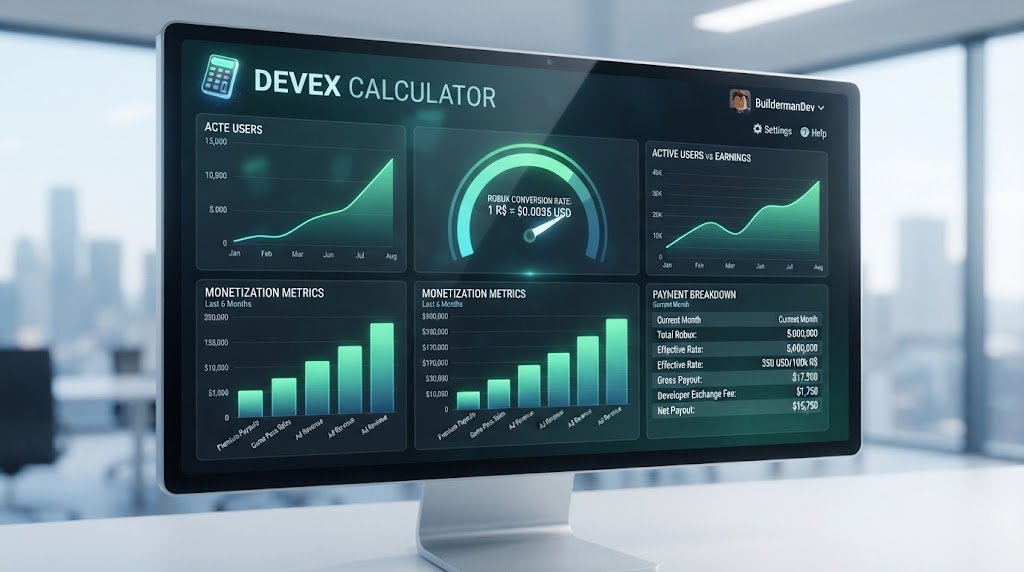
DevEx Calculator 2026: Calculate Robux to USD Earnings Instantly
Use the DevEx Calculator to convert Robux earnings to USD. Calculate your Roblox developer payout, understand exchange rates, and estimate your revenue for 2026.
DevEx Calculator 2026: Convert Robux to USD Earnings Instantly
Meta Title: DevEx Calculator – Convert Robux to USD Earnings Instantly
Meta Description: Calculate your Roblox DevEx payout instantly. Convert Robux to USD, check exchange rates, understand withdrawal minimums, and estimate your revenue for 2026.
On This Page
- What Is DevEx on Roblox?
- How the DevEx Program Works
- DevEx Exchange Rates Explained
- How to Use a DevEx Calculator
- Robux to USD Conversion Formula
- DevEx Payout Minimums and Withdrawal Thresholds
- Understanding the Roblox Earnings Haircut
- DevEx Payment Methods and Processing
- Calculating Yearly DevEx Earnings
- Tax Considerations for DevEx Income
- Common DevEx Calculator Mistakes
- FAQ: DevEx Calculator
What Is DevEx on Roblox?
DevEx (Developer Exchange) is Roblox's official program enabling creators to cash out their in-game earnings. When players spend actual money in your game—on passes, cosmetics, or any monetized content—a portion converts into Robux. DevEx lets you exchange those Robux for real-world currency (USD, EUR, or other supported currencies depending on location).
Not all Robux can be cashed out. Robux earned through DevEx-eligible sources (game passes, private server sales, virtual items sold in-game) qualify. Promotional Robux, gifts, or stipends don't convert to cash. This distinction drives how developers approach monetization—only earned Robux matter.
A DevEx calculator instantly converts your Robux total into your USD payout after exchange rates and Roblox's percentage cut. Knowing your exact take-home before withdrawal helps you plan finances, set monetization targets, and understand whether your game meets profitability thresholds.
How the DevEx Program Works
Roblox's payment pipeline involves multiple steps:
Step 1: Players Spend Robux
Players purchase Robux with real money or earn it through gameplay. When they spend Robux in your game (game passes, items, private servers), your account accumulates those Robux as unprocessed earnings.
Step 2: Robux Enters Your Creator Account
Earned Robux sits in your account wallet, separate from gifted or promotional Robux. Only earned Robux qualifies for DevEx conversion.
Step 3: DevEx Request
Once you reach the withdrawal minimum (typically $100 USD equivalent in Robux), you initiate a DevEx transaction through your account settings. Roblox processes the request.
Step 4: Roblox Takes a Cut
Roblox deducts a percentage (historically around 30%, but rates vary). You receive the remainder. A DevEx calculator applies this cut automatically.
Step 5: Payment Transfer
Funds transfer to your linked payment method (Payoneer, bank transfer, or other regional options) within 3-5 business days typically.
DevEx Exchange Rates Explained
The Robux-to-USD conversion rate fluctuates slightly depending on several factors:
Official Exchange Rate (Approximate 2026)
Historically, 1,000 Robux ≈ $3.50 USD before platform fees. This rate may adjust with market conditions, currency fluctuations, or Roblox policy changes. Always check the current rate when using a DevEx calculator—historical rates don't predict future conversions.
How Exchange Rates Vary by Region
Creators in different countries receive different USD-equivalent payouts due to local currency value, regional fees, and regulatory requirements. A DevEx calculator supporting your region applies the correct local rate.
Rate Volatility
Roblox doesn't publish exact historical rate changes, but creator forums track when shifts occur. Rates remain relatively stable within a 10-15% band year-to-year. Use a current-year DevEx calculator to avoid outdated conversion estimates.
How to Use a DevEx Calculator
Using a DevEx calculator takes seconds:
Step 1: Input Your Robux Balance
Enter the total Robux you have available for DevEx (earned Robux only, not gifted). Check your creator account to verify this number.
Step 2: Verify Your Region
Select your country or region. Different regions have different exchange rates and payment methods. The calculator adjusts accordingly.
Step 3: Review the Exchange Rate
The calculator displays the current Robux-to-USD conversion rate for your region. This rate comes from Roblox's published data and updates periodically.
Step 4: See the Payout Breakdown
Results show: total Robux input, pre-fee USD value, Roblox's cut (platform fee), and your net USD payout.
Step 5: Check Payment Method Fees
Some payment methods (Payoneer, bank transfer) incur additional fees. Advanced calculators factor these in. Account for an extra 1-3% on top of Roblox's cut depending on your chosen method.
Step 6: Confirm Minimum Requirements
The calculator verifies whether your Robux total meets the withdrawal minimum. If not, it shows how much more you need to earn.
If you're comparing related numbers, our Blox Fruits Trade Calculator covers a similar calculation in more detail. For background reading, see Roblox DevEx Docs.
Robux to USD Conversion Formula
The basic DevEx calculation is straightforward:
Gross USD Value = (Robux ÷ 1000) × Exchange Rate
Roblox Fee (30%) = Gross USD Value × 0.30
Net USD Payout = Gross USD Value - Roblox Fee
Example Calculation:
- Robux: 10,000
- Exchange Rate: $3.50 per 1,000 Robux
- Gross USD = (10,000 ÷ 1,000) × $3.50 = $35
- Roblox Fee (30%) = $35 × 0.30 = $10.50
- Net Payout = $35 - $10.50 = $24.50
A DevEx calculator automates this, updating instantly as you adjust Robux amounts.
DevEx Payout Minimums and Withdrawal Thresholds
Roblox enforces withdrawal minimums to reduce transaction costs:
USD-Equivalent Minimum
The minimum withdrawal is approximately $100 USD equivalent in Robux (historically around 28,500-30,000 Robux depending on current exchange rates). Below this threshold, you cannot initiate a DevEx transaction.
Why Minimums Exist
Payment processing (bank transfers, Payoneer) involves fixed fees. Small transactions become uneconomical for Roblox. The $100 minimum ensures viability on both sides.
Planning Around Minimums
Knowing the minimum helps you forecast when you'll be able to cash out. If you earn 1,000 Robux per day, you'll hit the minimum in approximately 28-30 days. A DevEx calculator shows exactly how far you are from the next withdrawal point.
Understanding the Roblox Earnings Haircut
The ~30% Roblox fee is the largest factor in DevEx calculations. Understanding why helps you plan:
Where the 30% Goes
Roblox's cut covers platform hosting, payment processing, fraud prevention, dispute resolution, and developer support. It's comparable to app store fees (Apple 15-30%, Google Play 15-30%, Epic Games Store 12%).
Is 30% Negotiable?
For elite developers with exceptional game performance, Roblox occasionally offers modified rates. Most creators operate at the standard 30%. A DevEx calculator assumes standard rates unless you've negotiated otherwise.
Historical Changes
Roblox has adjusted fees periodically. Monitoring official announcements ensures your calculator uses current rates. Never assume 2024 rates apply in 2026.
DevEx Payment Methods and Processing
Roblox supports multiple payout methods, each with nuances:
Payoneer
Most common. Roblox transfers to your Payoneer account, then you withdraw to bank or card. No additional Roblox fee, but Payoneer charges 1-3% on withdrawal.
Direct Bank Transfer
Available in select countries. Roblox transfers directly to your bank account. No intermediary fees, but bank may charge incoming wire transfer fees (typically $5-15 USD).
Other Methods (Regional)
Depending on location: Skrill, Wise, Google Play, or local payment services. Each has different fee structures. A comprehensive DevEx calculator accounts for your payment method's fees.
Processing Timeline
Most transfers complete within 3-5 business days after Roblox processes your request. International transfers may take longer.
Many readers using this tool also check out the CS2 Trade Up Calculator for a related use case. You can also reference Roblox for official guidance on this topic.
Calculating Yearly DevEx Earnings
To project annual income, extend the monthly DevEx calculation:
Monthly Earnings Formula:
Monthly Gross Robux ÷ 1,000 × Exchange Rate × 0.70 (after 30% fee) = Monthly USD
Example: Consistent Performer
- Monthly Earned Robux: 50,000
- Exchange Rate: $3.50 per 1,000 Robux
- Monthly Gross: (50,000 ÷ 1,000) × $3.50 = $175
- Monthly Net (after 30%): $175 × 0.70 = $122.50
- Annual Projection: $122.50 × 12 = $1,470
Reality: Most games experience seasonal swings. A DevEx calculator showing monthly projections helps you model high and low seasons, planning for variability.
Tax Considerations for DevEx Income
DevEx income is taxable in most jurisdictions:
US Reporting
If you're a US resident, DevEx income counts as self-employment income. You may owe federal income tax (10-37% depending on bracket) plus self-employment tax (15.3% on net profit). Many creators owe $3,000-$15,000 annually even on modest DevEx earnings.
International Reporting
Outside the US, local tax law applies. Many countries require reporting above certain thresholds (e.g., £1,000+ in UK). Consult a tax professional in your jurisdiction.
Setting Aside Funds
A smart practice: subtract 25-30% from your DevEx calculator result for estimated taxes, then treat the remainder as true take-home income. This avoids spending money you'll owe the government.
Record Keeping
Roblox provides tax documentation if you reach certain earnings thresholds (varies by country). Keep screenshots of all DevEx transactions for tax filing purposes.
Common DevEx Calculator Mistakes
Mistake 1: Forgetting the 30% Fee
Many developers multiply Robux by the exchange rate without subtracting Roblox's cut. This overstates take-home by ~30%.
Mistake 2: Using Outdated Exchange Rates
An old calculator showing $4.00 per 1,000 Robux will mislead if the current rate is $3.50. Always use current-year data.
Mistake 3: Including Non-DevEx Robux
Gifted, promotional, or premium currency Robux don't convert. Only earned Robux (game passes, items sold) count. Overestimating your eligible balance skews projections.
Mistake 4: Ignoring Payment Method Fees
A DevEx calculator might show $100 net payout, but Payoneer or bank transfer fees reduce that further. Account for an extra 1-3% loss.
Mistake 5: Assuming Consistent Monthly Earnings
Games experience seasonality, content updates shift engagement, and player bases fluctuate. Monthly earnings vary dramatically. Use conservative estimates.
FAQ: DevEx Calculator
How accurate is a DevEx Calculator?
Very accurate for conversion math. If you input your current Robux balance and regional exchange rate, the calculator's payout prediction is reliable. The only variable is future earnings—the calculator can't predict how much Robux you'll earn next month. For a related calculation, see our Pokemon Catch Rate Calculator.
Do all Robux count toward DevEx?
No. Only earned Robux (from game passes, private server sales, and in-game transactions) qualify. Robux from gifts, stipends, or promotions are locked.
What's the minimum withdrawal amount?
Approximately $100 USD equivalent (roughly 28,500-30,000 Robux depending on current rates). Below this, you cannot initiate a DevEx transaction.
Does Roblox's fee ever change?
Historically, yes. Roblox has adjusted its cut occasionally. Monitor official announcements. A DevEx calculator should update with any announced rate changes.
Can I withdraw multiple times per month?
Technically yes, but practical limits apply. Once you initiate a withdrawal, the process takes 3-5 days. You can submit another once the first completes. Most creators withdraw monthly or quarterly to minimize transaction frequency.
What if I live outside the US?
DevEx supports many countries, but exchange rates and payment methods vary by region. A regional DevEx calculator applies your local rate and available payment methods.
How is DevEx income taxed?
As self-employment income in most jurisdictions. Consult a tax professional in your country for specific obligations.
Will DevEx earnings affect my tax bracket?
If DevEx pushes your total income above certain thresholds, yes. Higher income can bump you into a higher tax bracket. Plan accordingly. See IRS Self-Employed for more authoritative detail.
Calculate your exact Roblox DevEx payout with our free DevEx calculator at growsagardencalculators.com. Input your Robux balance, select your region, and instantly see your USD take-home after platform fees and exchange rates. For developer resources and current DevEx policies, visit the official Roblox Creator Hub.
Abdullah
Grow a Garden player & calculator builder